Overview
It began with a problem I repeatedly had myself. Some of the long-form content I follow is published on YouTube, but I often want to listen rather than watch: while walking, commuting, or with my phone’s display turned off. At the time, YouTube also kept picture-in-picture playback behind a paid subscription, which made using that content like a podcast unnecessarily restrictive. A podcast app offered a much better listening experience, but those channels did not necessarily publish podcast feeds.
I built TubeCast to turn them into my own podcast shows. I can create a show, add individual YouTube videos or subscribe it to entire channels, and follow the resulting RSS URL in Apple Podcasts, Castbox, Pocket Casts, or another podcast application. New episodes appear when I sync the show, and the app handles background playback, progress, downloads, and screen-off listening like any ordinary podcast.
I built TubeCast to solve a problem I had myself, and I continue to use it regularly. It also grew into something I could share: the generated feed is hosted online, so friends and family can follow the same show without installing TubeCast themselves.
What a Show Represents
A TubeCast show is a personal collection rather than a mirror of one YouTube channel. For example, I can create a technology show and subscribe it to several creators, while still adding a particular video from somewhere else when it belongs in that collection.
Each show keeps its own title, description, cover art, episodes, and subscribed channels. TubeCast stores this state locally as JSON so it knows which videos have already been added and which channels to check during the next sync. From that state, it generates a standard podcast RSS document containing the metadata expected by podcast applications.
The important separation is that the JSON file is TubeCast’s working state, while the RSS file is the public interface consumed by podcast apps.
From YouTube Video to Podcast Episode
When I add a video, TubeCast first resolves its YouTube ID and checks whether that episode already exists in the show. It then gathers the information a podcast app needs:
- Title, description, creator, publication date, and duration.
- The original YouTube link and a stable episode identifier.
- An episode image and an MP3 audio file.
These independent metadata and download tasks run concurrently with Go goroutines. TubeCast uses yt-dlp to read the video information, extract the audio as MP3, and download the thumbnail. Once the work completes, it assembles an episode whose audio enclosure points to the hosted MP3.
If the audio cannot be uploaded, the episode is not added to the show. This prevents the feed from advertising an episode that a podcast app would be unable to play.
Free Hosting with Internet Archive
A podcast feed is only useful when its audio is reachable from the internet. Hosting every extracted file on my own server would introduce storage costs, bandwidth costs, and another service to maintain.
TubeCast instead uploads the episode audio, thumbnails, cover images, and RSS feed to a dedicated Internet Archive item. After an audio file or thumbnail is uploaded successfully, the temporary local copy is removed. The durable local data is the show definition; the larger media files live in cloud storage.
The generated RSS feed uses those public Internet Archive URLs for its episode enclosures and artwork. This makes the show available from any device without requiring my computer to stay online.
Keeping Channels Up to Date
Subscribing a show to a channel adds its latest videos and records that channel for later synchronization. The regular sync command goes through every show, checks each subscribed channel, and considers its three newest videos.
TubeCast filters out episode IDs already present in the show before doing the expensive download and upload work. New videos go through the same conversion pipeline, after which the local show state and public RSS feed are regenerated.
From the podcast app’s perspective, nothing unusual is happening. It periodically refreshes the same feed URL and discovers new <item> entries, exactly as it would for a conventionally published podcast.
A Feed Any Podcast App Can Read
The RSS output contains the normal channel fields as well as podcast-specific iTunes metadata. Every episode includes its title, creator, description, publication date, duration, thumbnail, source link, and an audio enclosure with the MP3 URL, file size, and media type.
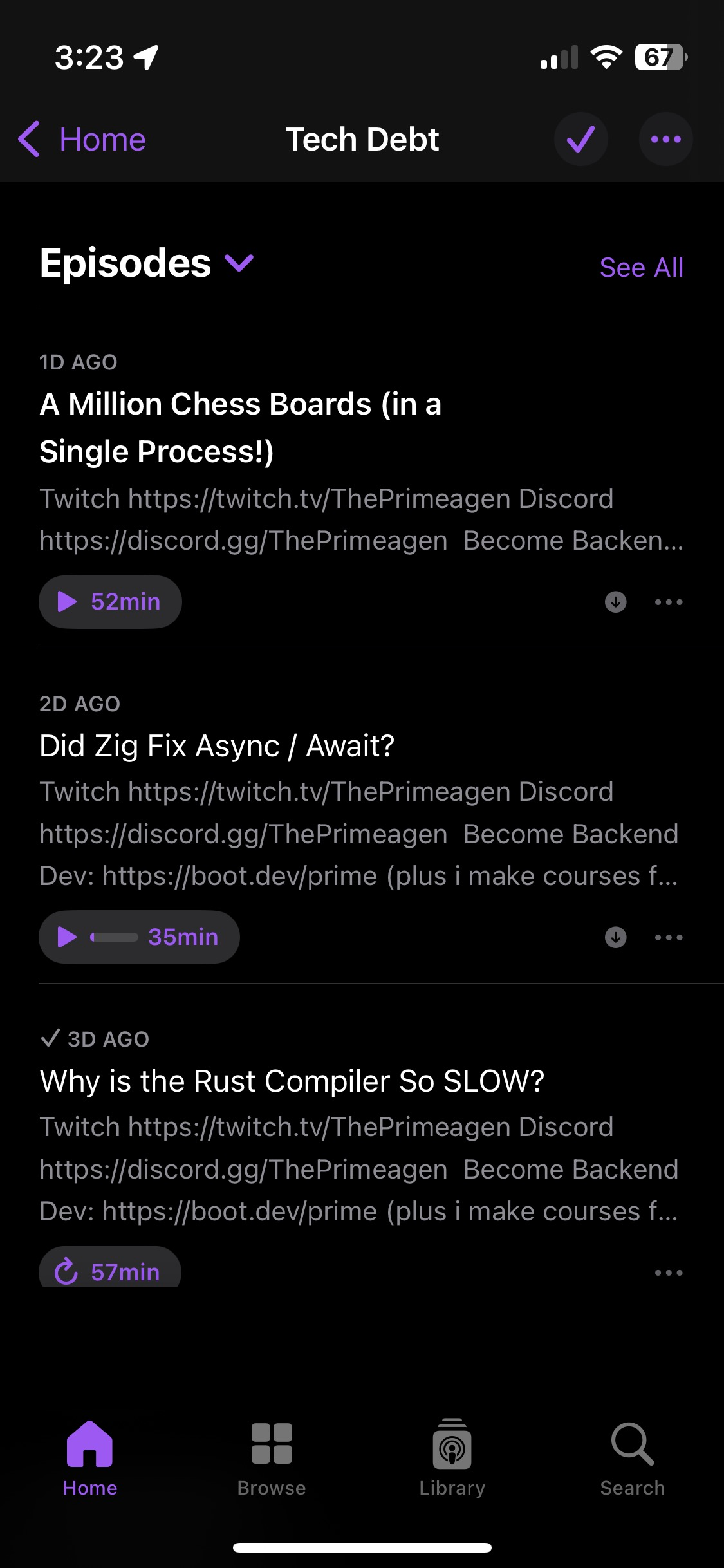
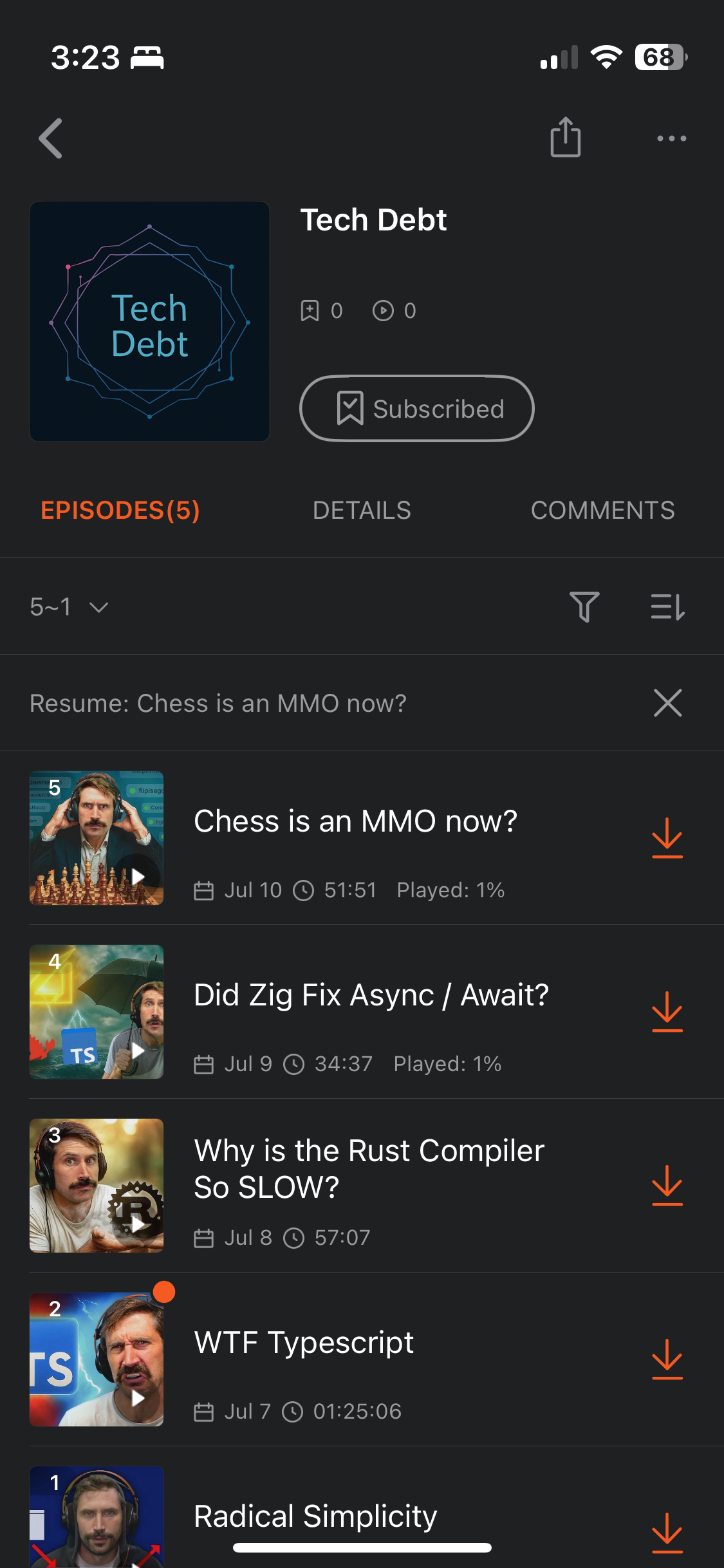
Because TubeCast produces a standard feed rather than its own player, it does not need to rebuild features podcast applications already handle well. After following the URL once, I get episode downloads, playback speed, queues, progress synchronization, and background listening from the podcast app I already use.
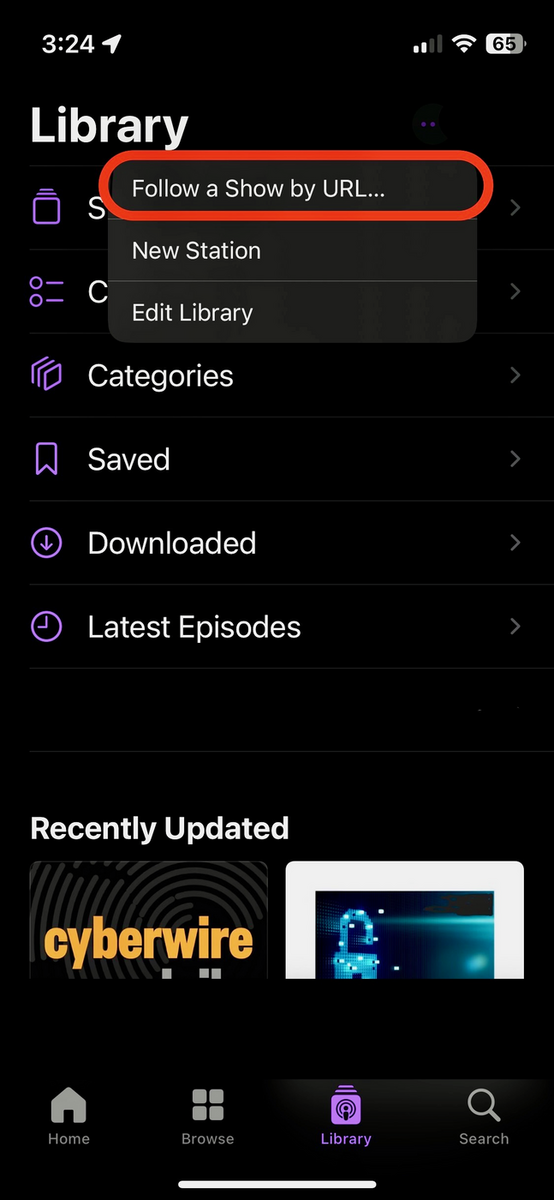
The setup inside a podcast app is simple: choose Follow a Show by URL, paste the feed generated by TubeCast, and the show becomes part of the normal podcast library.
Managing TubeCast
I built a terminal user interface (TUI) for the normal workflow. It provides interactive screens for browsing shows, creating a show, subscribing to a channel, synchronizing subscriptions, adding episodes, and deleting shows. Long-running conversions display a modal while the media pipeline works.
The repository also includes shell scripts that wrap the Docker Compose commands. Someone using the packaged version can initialize TubeCast and perform the common operations with commands such as create-show.sh, sync-channel.sh, add-video.sh, and sync.sh without knowing the application’s internal command structure.
Docker packages the Go application with the external tools it depends on, while mounted volumes preserve show metadata, covers, generated feeds, and Internet Archive credentials between runs.
Removing Content Completely
Deletion is part of the product rather than an afterthought. Removing an episode deletes its hosted audio and thumbnail, removes it from local show state, and publishes an updated feed. Removing an entire show deletes its hosted media, cover, and RSS file as well as the local JSON and feed files.
Keeping those operations connected matters because a feed entry, a media object, and the local record all describe the same logical episode. Deleting only one of them would leave broken podcast entries or unused hosted files behind.
Why This Project Matters to Me
TubeCast is the kind of software I most enjoy building: a small system shaped around a real personal workflow. It joins several ordinary technologies into one useful experience: command-line media tools, concurrent Go code, structured local state, XML generation, cloud storage, Docker, and the open RSS protocol.
The part I am most proud of is not simply that it downloads audio. It creates a continuously maintainable podcast library. I can organize content from different creators into my own shows, follow each show once, and then use it like a normal podcast from any device. The implementation disappears behind a workflow I genuinely use.